

Farhelm documentation


One window for every coding agent you run, on your Mac and on any Linux box or Apple-silicon Mac you can ssh to. Each agent keeps running on its machine when you close the lid, and you pick it up where it was.
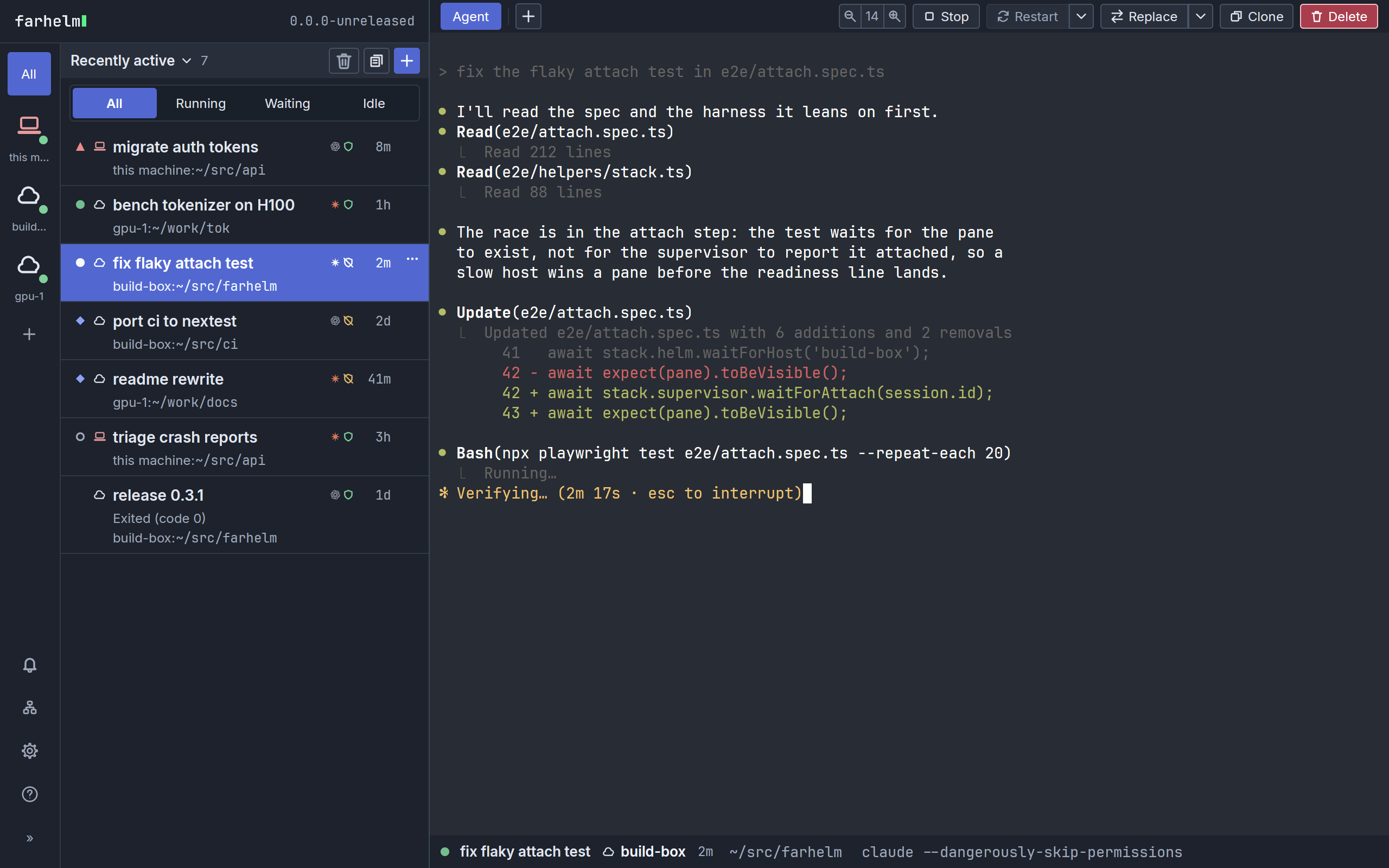
Seven sessions across three hosts. The mark on each row says what that agent is doing: working, waiting for you, or finished since you last looked.
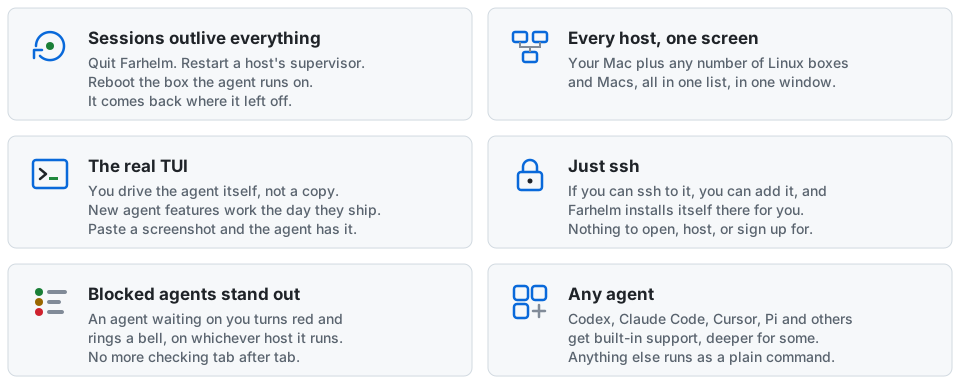
Why should I use it?
Section titled “Why should I use it?”- The agent’s own TUI
- You drive the real Claude Code, Codex, or whatever you run, keystroke for keystroke, not a wrapper around it.
- Screenshots and files
- Paste or drop one into the terminal and the agent has it, even when the agent runs on a machine across the network.
- Downloads
- When the agent mentions a file it made, hover over the path and click to download it.
- Nothing loses its place
- Close the laptop, restart Farhelm, reboot the remote host: every session is still in the list, and restarting it picks the agent’s conversation back up.
- Templates
- Often start Codex in YOLO mode on a checkout of
acme/webonbuild-box? Save that as a launch template, then in the Mac app press Cmd+N, typetl:web, and press Enter twice: once to apply it, once to launch. - Change one thing
- Want this session again, but with Codex instead of Claude? Clone opens the launcher with everything already filled in, so you change just the agent and launch. Replace with… does the same, and swaps the new session in for this one.
- Agents start sessions
- Tell your agent
$farhelm for each of the TODO items above, start a session in a new managed checkout of acme/web, named after the item, and it will. Farhelm asks you before each one starts, unless you have told it to trust that host. - Version control
- Farhelm works in any directory, whatever it uses for version control. It can also manage checkouts of your GitHub repositories. Each session gets a fresh clone, moved to the trash when you are done with it on an ordinary host. In a disposable container or sandbox, Delete removes the clone permanently, and deleting the last session there removes the whole environment.
How it works
Section titled “How it works”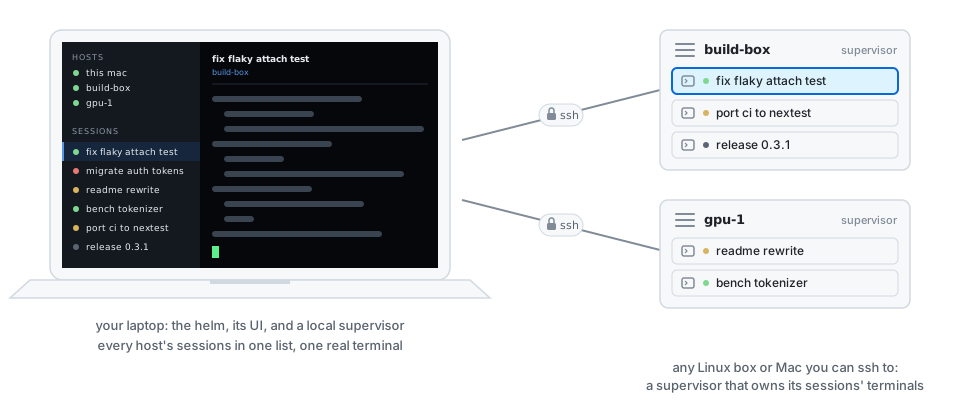
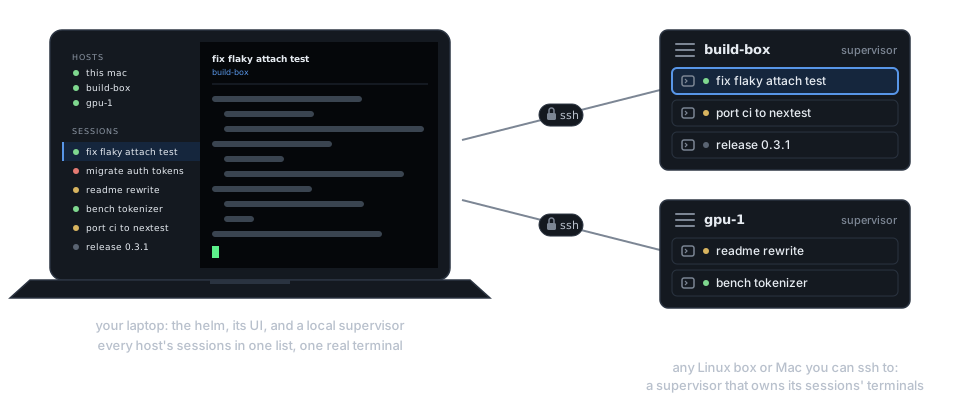
Farhelm has two parts. The helm is what you look at, the Farhelm app on your Mac: it keeps your list of hosts and shows every session. A supervisor runs on each machine, your Mac included, and keeps that machine’s agents and their terminals running (the pieces). The helm reaches remote hosts over SSH. Experimental container sessions run their own supervisor and checkout inside rootless Podman on a Linux host, reached through that host. Nothing listens beyond your own machine, nothing goes through a relay (security model), and every box in the diagram can restart without losing a session (what survives what).
Is this thing vibe coded?
Section titled “Is this thing vibe coded?”No. However, this did start out - and still is - an experiment in developing a real product with non-trivial complexity while utilizing zero human code review. I intend to write more in depth about it, but the short of it is that through a number of practices (various forms of adversarial code review, continuously narrowing down SPEC guard rails, human architectural oversight), my assessment is that overall quality is higher (not perfect!) than the manually coded version would be - besides the fact that it would not exist, because I wouldn’t have had the time to make it!
You will definitely notice signs of AI. I’m not optimizing for hiding the fact that AI is involved, I am optimizing for solving the problem with an acceptable quality bar.
Community
Section titled “Community”Questions, ideas, or something that broke? Come talk on Discord. The source and issue tracker are on GitHub.