

Add a remote host
A remote host is a Linux machine your Mac reaches over ssh. Once it is added, sessions can run there just as they do on your Mac, and they keep running on the host while your Mac sleeps or Farhelm is closed.
What the host needs
Section titled “What the host needs”- Linux on an x86_64 or ARM (aarch64) machine, with systemd’s services for your user account, which most distributions have. Farhelm needs no root or sudo there: everything it installs goes in your home directory.
- Passwordless ssh from your Mac:
ssh <destination> truehas to work in a terminal without asking for a password. Farhelm uses your own ssh setup, so keys, the agent, and the aliases in~/.ssh/configall apply. - Your Mac downloads Farhelm for the host from GitHub and copies it over ssh, so your Mac needs to reach GitHub. The host does not: it never needs access to GitHub.
Add it
Section titled “Add it”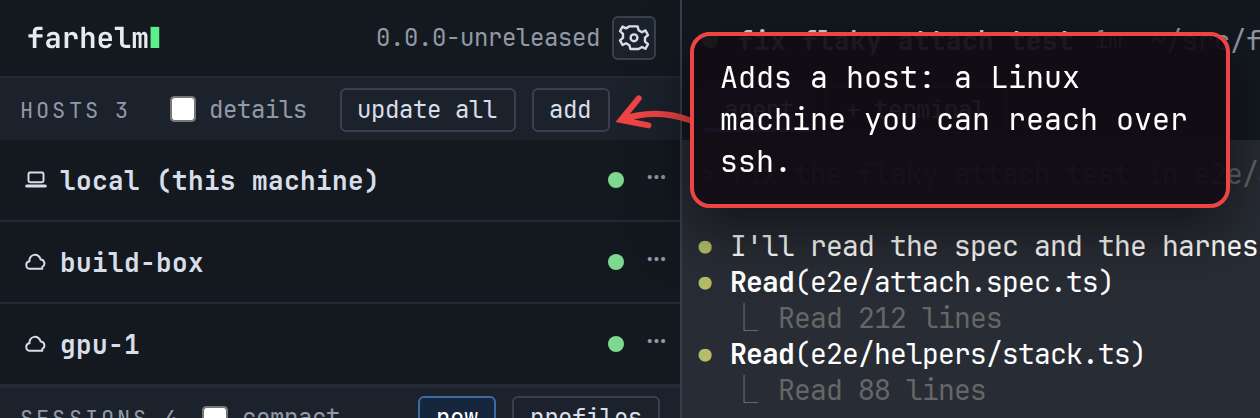
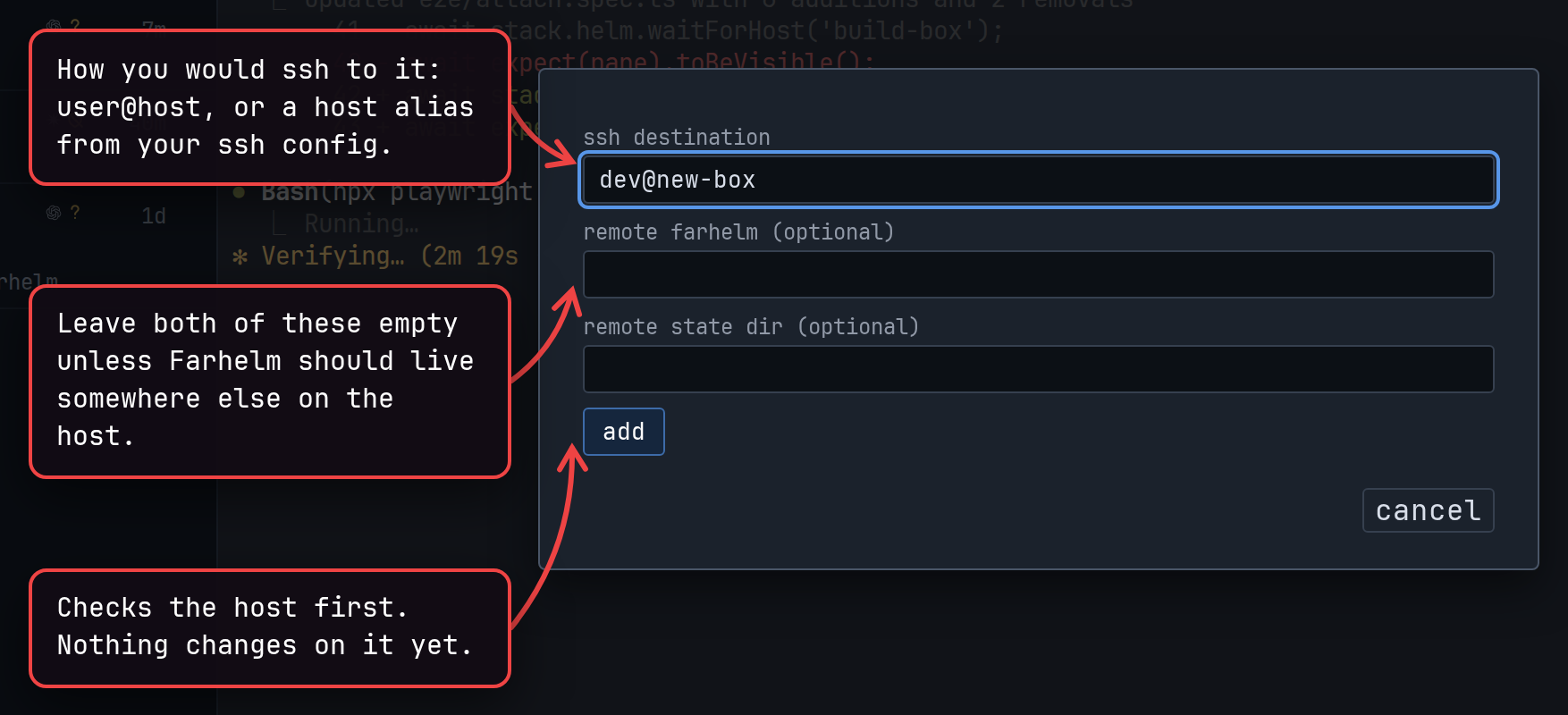
If Farhelm is already running on the host (you set it up before, say), the host is added as it is and the dialog closes. Otherwise Farhelm shows what it would set up there and asks first:
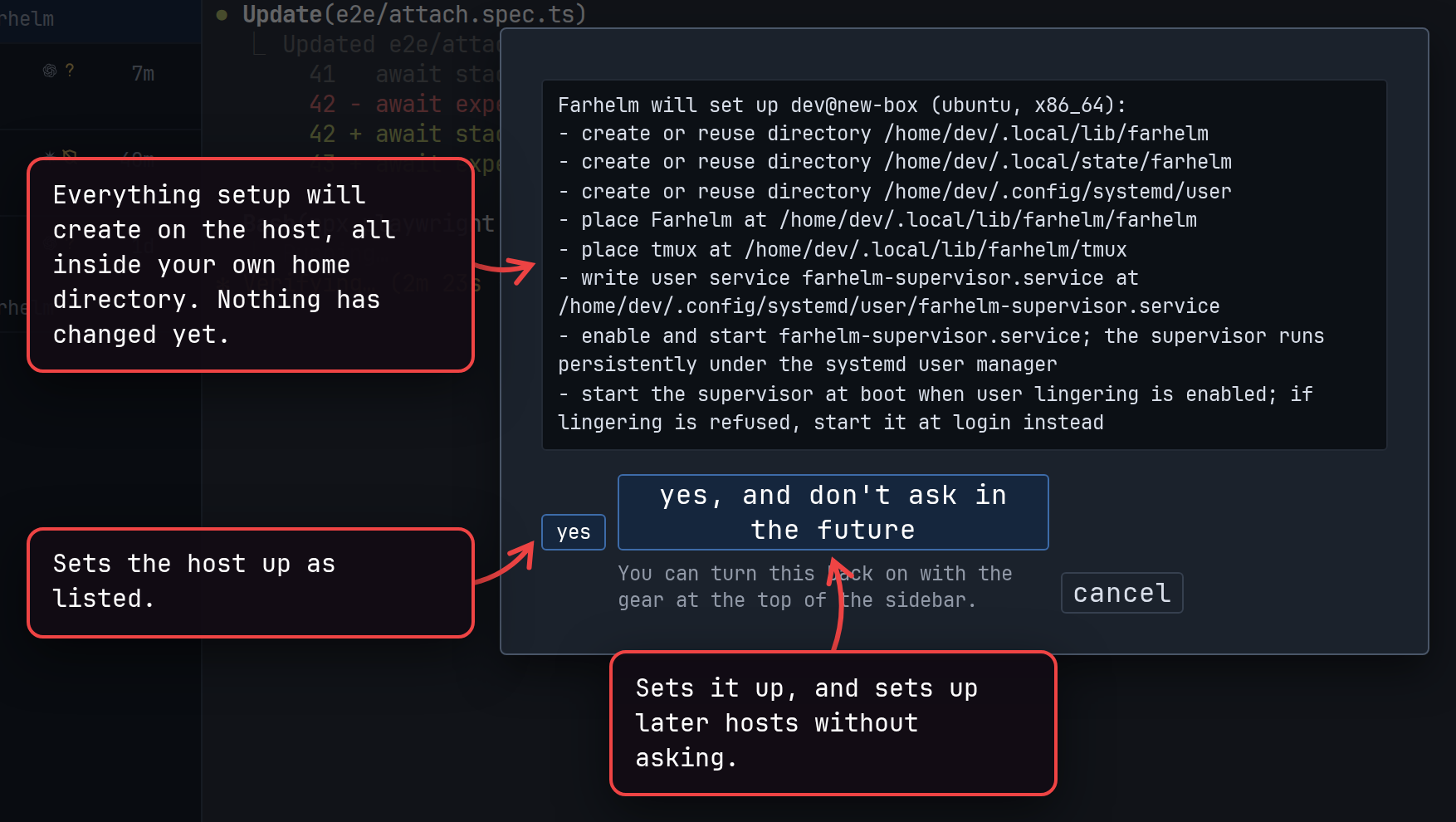
When the host has no new enough tmux, Farhelm brings its own copy, as the list shows. After you choose yes, the dialog closes and the host’s row in the host list follows the setup until it is done:
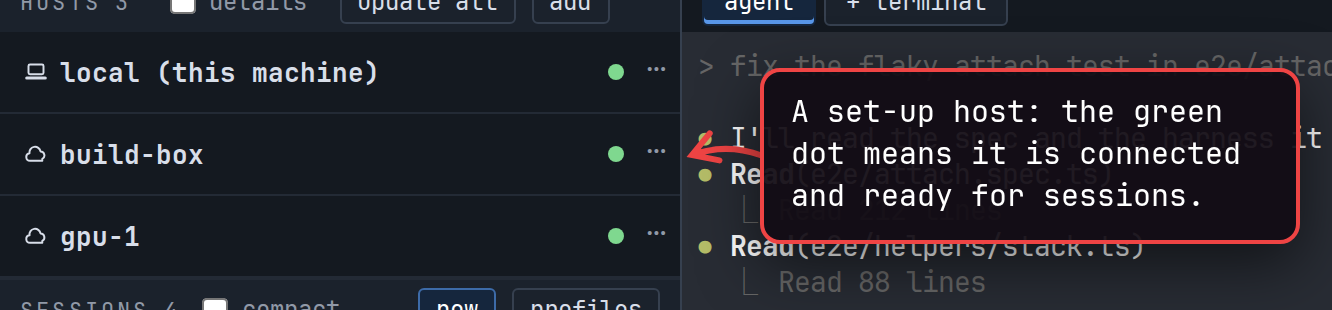
The host now appears in the session launcher’s host menu; see Start a session. On the host, Farhelm runs as a service of your user account, so it and its sessions keep running after you disconnect. It starts again when the machine boots where the system allows that, and at your next login where it does not.
To have Farhelm ask again before setting up a host, untick set up new hosts without asking in the settings behind the gear at the top of the sidebar; Manage hosts has the rest of a host’s settings.
If something goes wrong
Section titled “If something goes wrong”- When Farhelm cannot reach the host, the dialog shows ssh’s own error. Check that
ssh <destination> trueworks in a terminal without a password. - A host without systemd’s services for your user account cannot be set up automatically, and the dialog says so.
- When setup fails partway, open the host’s
⋯menu and choose re-run to try again.
Next: Start a session, or, to remove Farhelm later, Uninstall Farhelm.