

Launch templates
A launch template is a set of session launcher choices saved under a name. It holds only the choices you put in it, so templates combine: one can pick your usual agent and model, another the host and directory of a project, and applying both sets up the whole launch.
Make a template
Section titled “Make a template”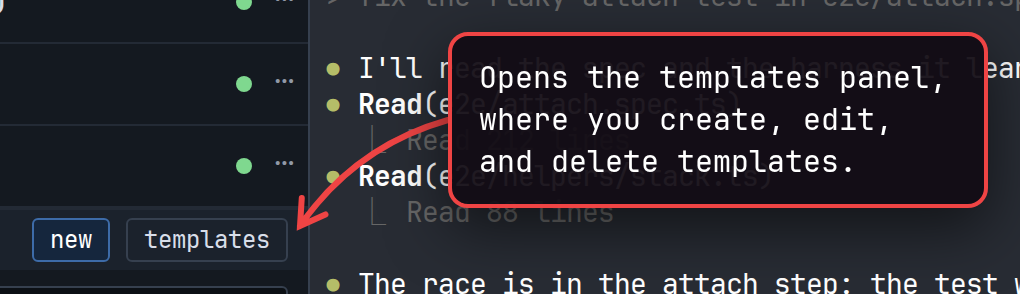
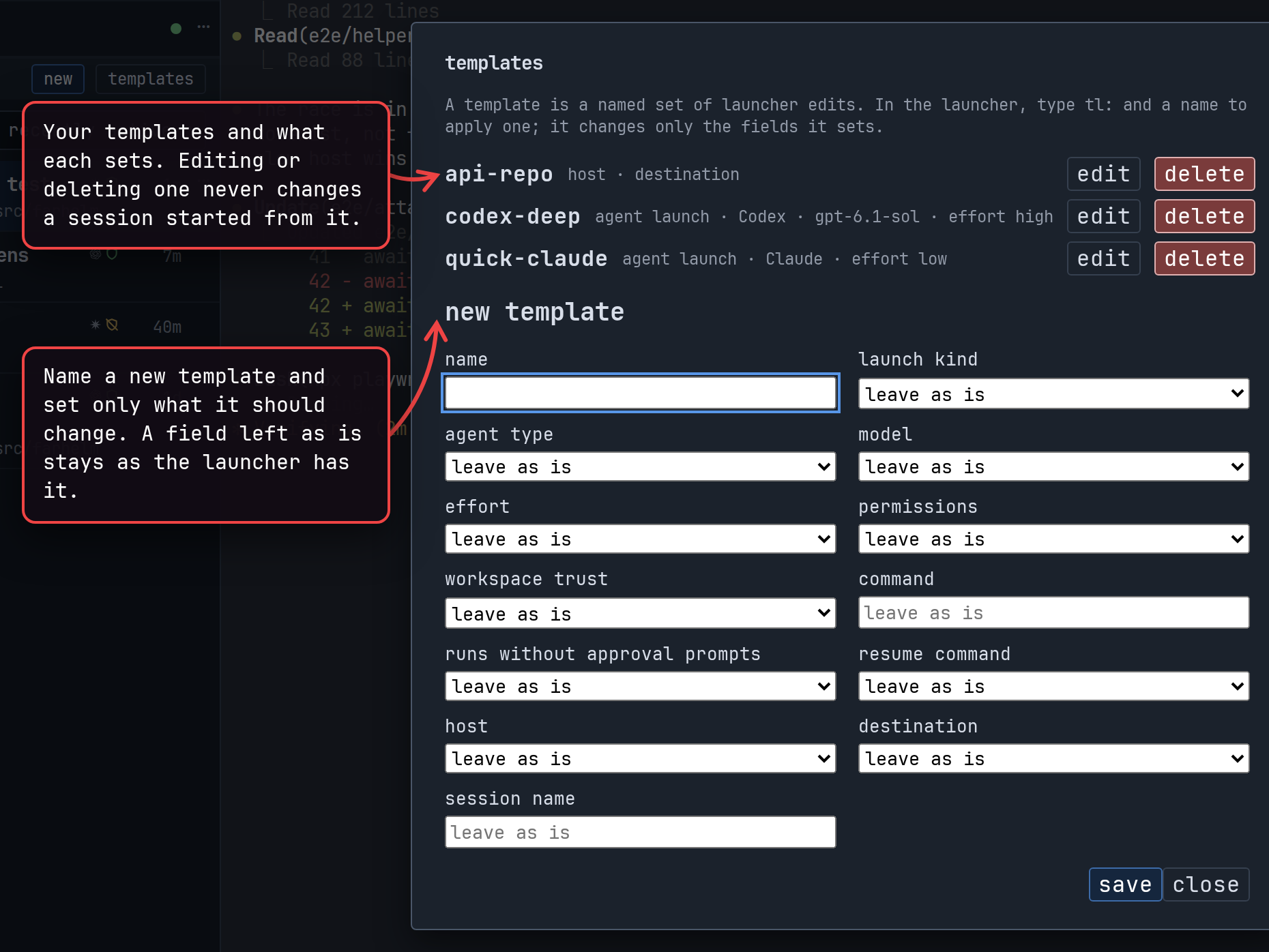
The form offers every choice the launcher has, from the agent and model to the host, the directory, and the session’s name. Most fields take a value straight from their menu; the model and resume command take set to and a text box. reset to default, offered for the model, effort, permissions, trust, and resume command, puts that choice back to the agent’s own default when the template is applied (for the resume command, to none), which is different from leaving it as is. The destination can be a directory or a fresh GitHub checkout. Names must be unique; to change a template, edit it rather than saving a new one under its name.
Templates belong to the helm, the program that shows you every host’s sessions (The pieces), so every window and every host sees the same ones. A template that sets a command still needs that command to exist on the host you launch on.
Edit a template
Section titled “Edit a template”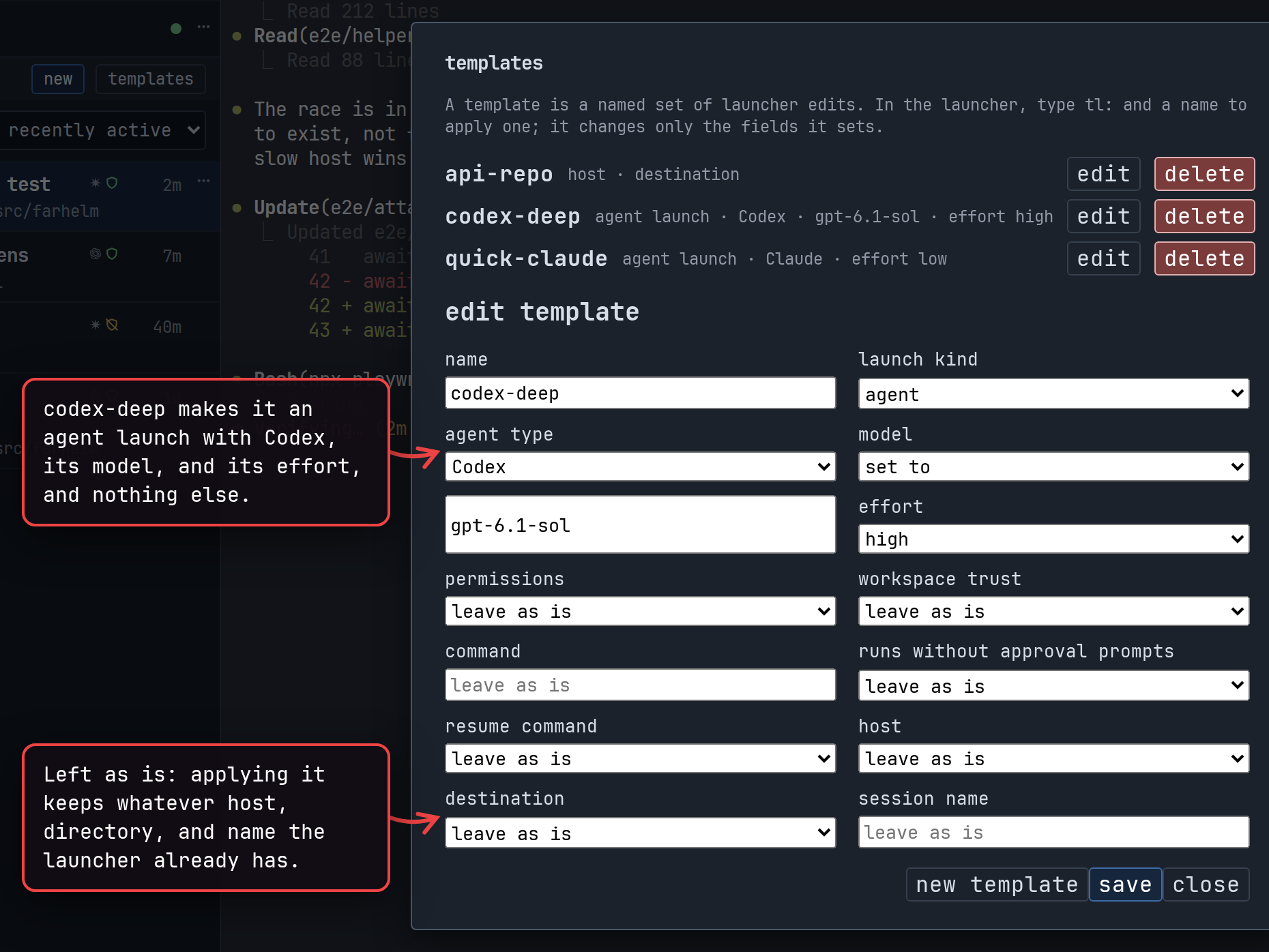
A session remembers the choices it was launched with, not which templates supplied them, so editing or deleting a template never changes a session that already started from it.
Apply templates in the launcher
Section titled “Apply templates in the launcher”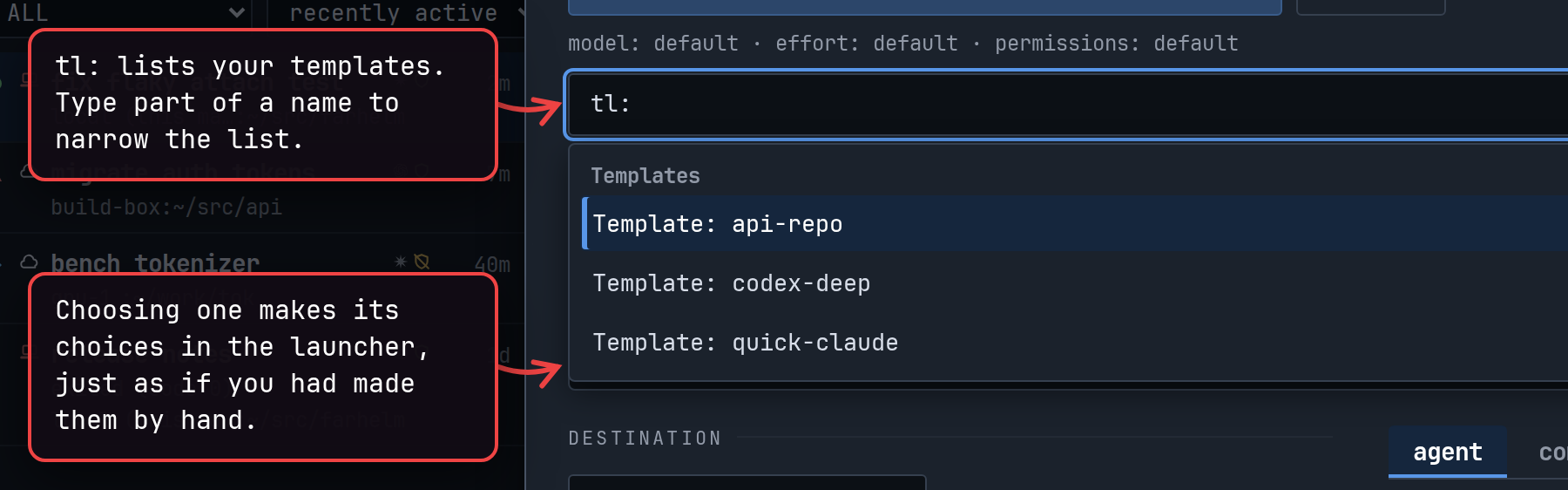
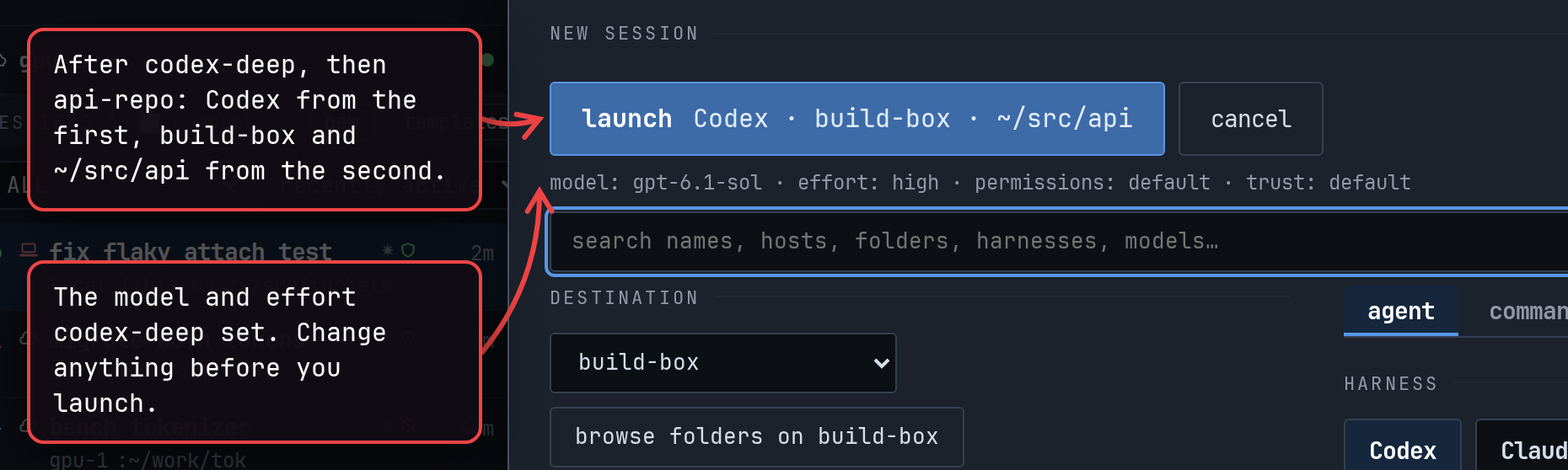
Templates apply in the order you choose them, and where two set the same choice, the later one wins. A template only fills in what it holds, so anything the launch still needs, such as the agent when no template picked one, you choose by hand as usual.
A template whose choices do not fit what the launcher holds is refused as a whole, with a message saying which choice did not fit: a model the chosen agent does not offer, for example, or a model while the launcher is on its command tab. In replace with, where the host is fixed, a template that sets a host is refused the same way. restart with does not offer templates at all.
Templates and your agents
Section titled “Templates and your agents”Agents in your sessions can apply templates too, when they start sessions of their own with the farhelm command:
farhelm agent create --template codex-deep --template api-repoHere api-repo supplies the host and directory, so the command needs neither --host nor --cwd. Other options such
as --model act as further changes after the templates, and farhelm agent templates lists the templates and what each
sets.
A few templates work in the launcher but not for agents. The farhelm command cannot make a fresh GitHub checkout, so a
template with that destination is refused there unless --cwd gives a directory instead. farhelm spawn always starts
on the agent’s own host, so it refuses a template that sets a host. And on a host that asks before YOLO launches, an
agent cannot use a template that makes the launch YOLO or a custom command
(Approve what agents do).
Agents can also create, edit, and delete templates with farhelm agent template create, edit, and delete.
Each change shows you the whole template on a card first, command line included, and happens only if you allow it,
unless you have told Farhelm not to ask for that agent’s host (Approve what agents
do). An agent’s edit cannot remove a choice from a template, so it never drops a
command line the agent could not see.
NOTE: Templates are not a place for secrets. Every host your helm manages can read every template, command lines included.
Read the session list covers keeping track of the sessions you start.