

Your first session
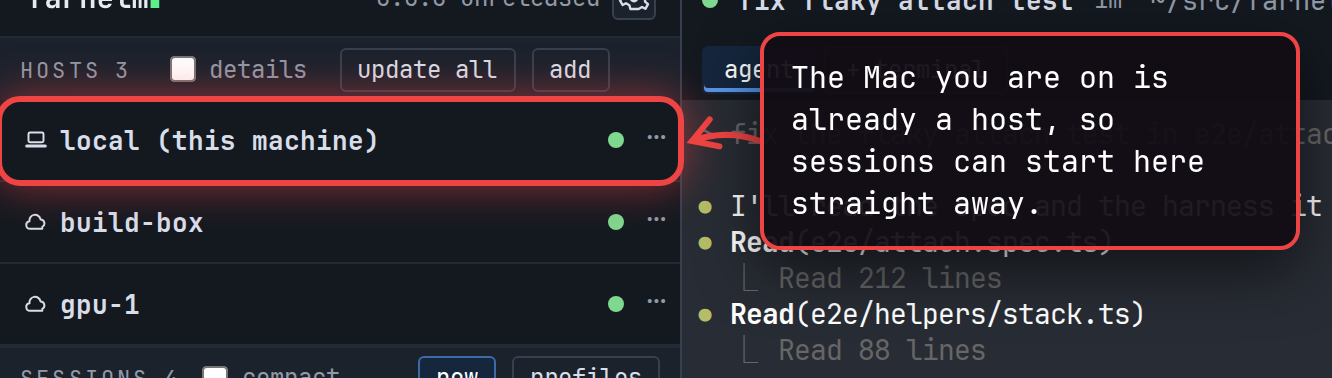
Before you start a session, make sure the agent you want is installed on your Mac and starts when you type its command
in a terminal (claude or codex, for example). Farhelm starts it the way your login shell would, with the same
PATH. Supported agents lists the agents Farhelm knows.
Start it
Section titled “Start it”Select new at the top of the session list, choose the agent, and launch. Start a session walks through the session launcher and its choices.
Keep an eye on it
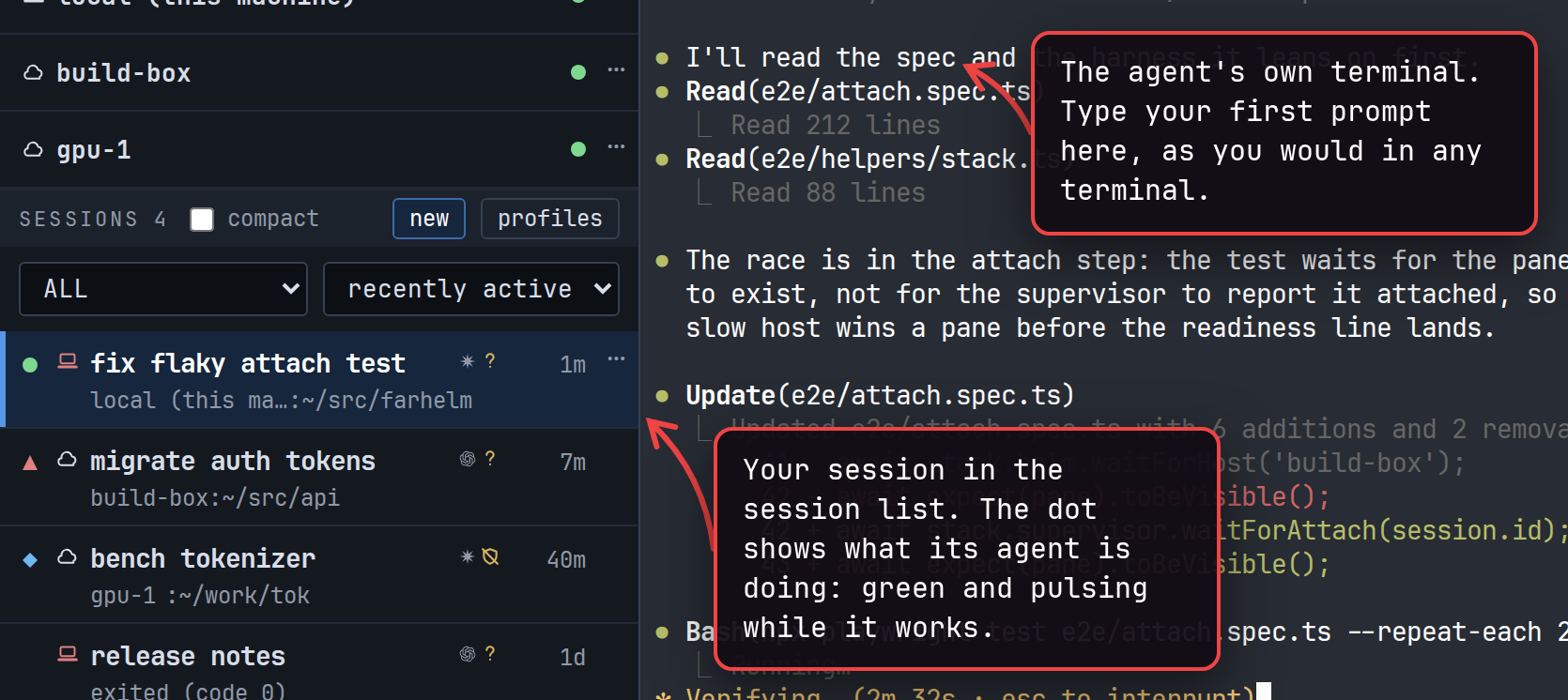
Section titled “Keep an eye on it”You do not have to watch the terminal to know when an agent needs you. The session list shows every session’s status, and it updates as the agents work.
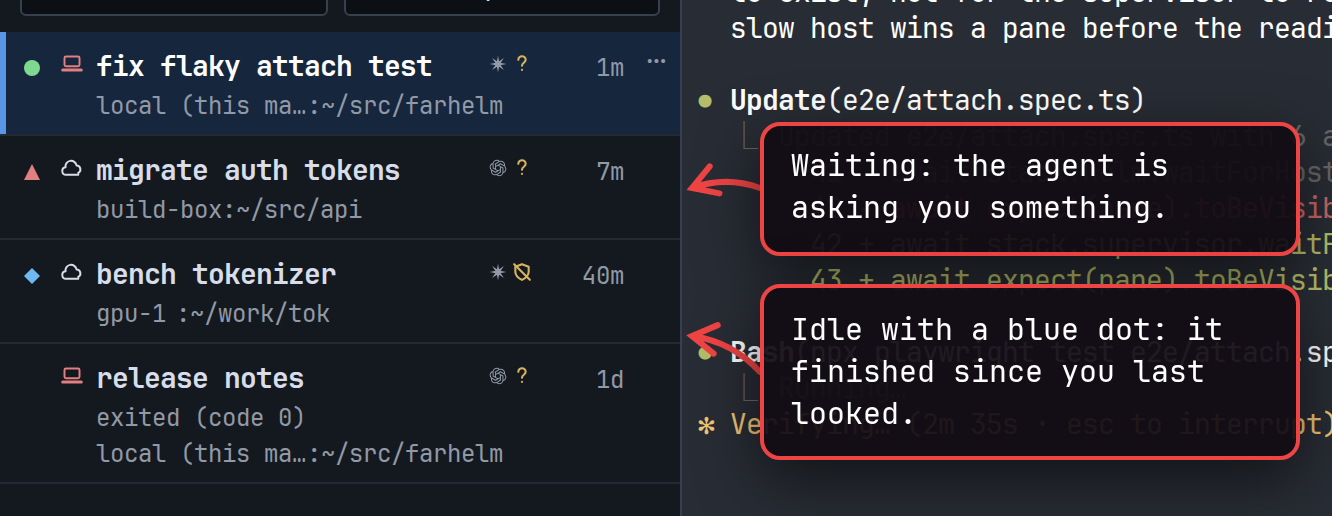
Read the session list explains every status.
Close Farhelm and come back
Section titled “Close Farhelm and come back”Quit Farhelm while the agent is working, then open it again: the session is still there, still running, and its terminal shows everything that happened while Farhelm was closed. Sessions keep running until you stop them or your Mac reboots. After a reboot they show as interrupted, ready to start again; What survives what has the details, and Stop, restart, and resume covers starting them again.
Next: Add a remote host.